


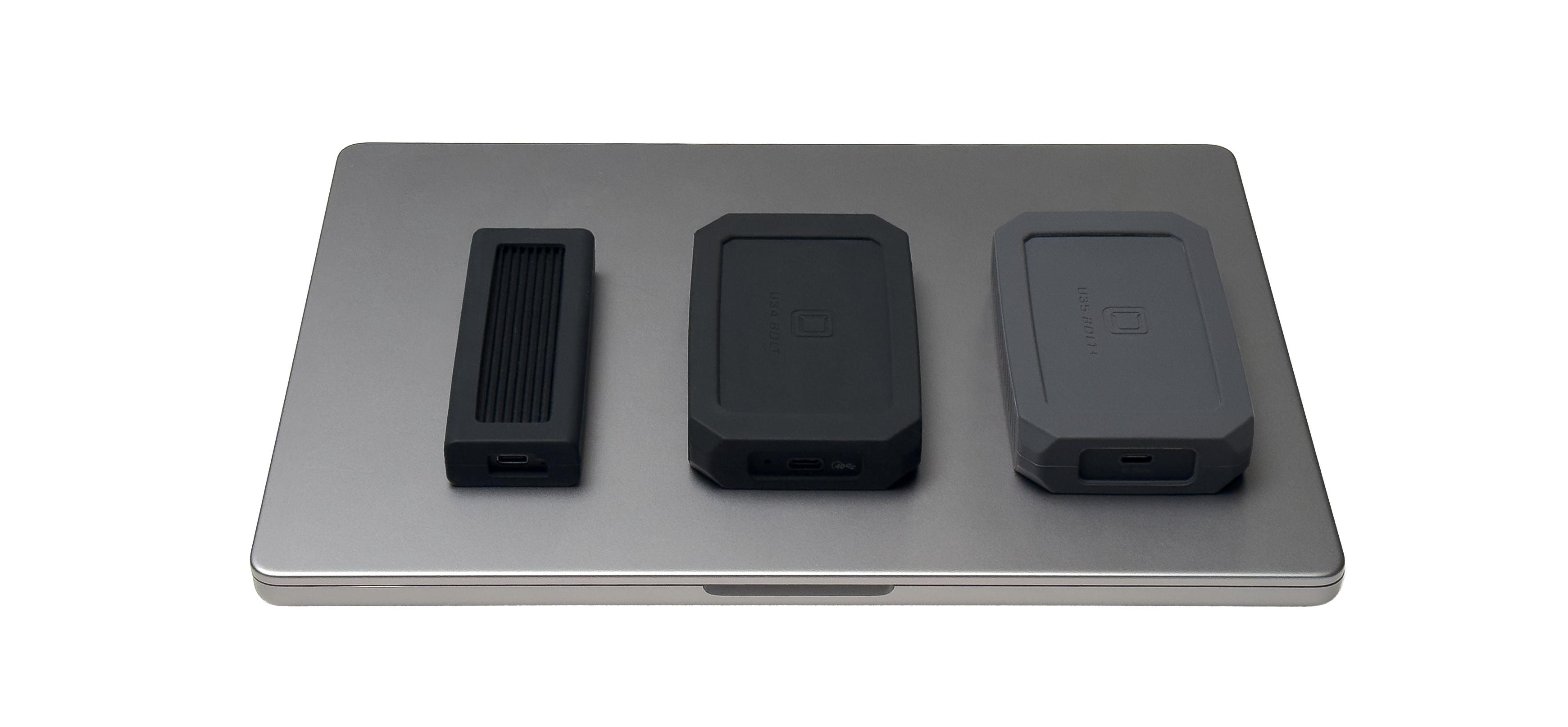
When selecting a portable SSD for video workflows, it’s tempting to gravitate toward the fastest spec sheet. Individuals can get caught up by the fast performance numbers and assume if they integrate the same SSD, their workflows will experience the same results. But in real-world production—especially for DITs, filmmakers, and content creators—speed is only valuable if your entire setup can take utilize it. The correct SSD isn’t about top numbers. It’s about matching your devices, systems, and storage while knowing where bottlenecks may occur.
Speed starts at the Source Media
Before even looking at SSD specs, consider what you're copying from. Your ingest speed will always be limited by the slowest component in the chain. Is your card reader USB3? Are your camera cards maxing out 250MB/s? Does your computer have Thunderbolt5? These are all things to consider when selecting an SSD.
For example, if you're offloading from an SD card that tops out around 250 MB/s, pairing it with a high-end 6000 MB/s SSD won’t make your transfers any faster. In that case, a drive like the Helix Dura is more than capable. It's 4x faster than the source media, giving you reliable, efficient transfers wtihout overspending.
On the other hand, if you're working with high-performance capture media—like ARRI Codex drives pushing up to 3000 MB/s—you need an SSD that can keep up. This is where stepping up to something like the U34 BOLT or U35 BOLT+ becomes critical to avoid bottlenecks during ingestion.

Matching the SSD to Your Computer System
Your computer’s interface is just as important as your source media. Even the fastest SSD will slow down if your computer can’t support its full bandwidth.
- Helix Dura (USB 3.2 Gen 2 – up to ~1050 MB/s)
Best for USB-C workflows and broad compatibility. Ideal for DSLR and mirrorless footage, proxies, and lower-bitrate codecs. Perfect for editors and creators seeking a cost-effecting option that delivers consistent performance for everyday production tasks.
- U34 BOLT (USB4 / Thunderbolt 4 – up to 40Gbps)
A strong fit for users on Thunderbolt 3 or 4 systems with higher-bitrate workflows and faster offloads. Perfect for professionals working with RAW video and multi-stream editing.
- U35 BOLT+ (USB4 v2 / up to 80Gbps – Thunderbolt 5 capable)
Designed for users on Thunderbolt 5 machines or handling extreme high-throughput demands (like uncompressed or high-frame-rate RAW). Oyen Digital’s fastest option that’s designed to ensure storage isn’t the limiting factor.
Dont Overbuy Performance
One of the most common mistakes is paying for speed you can’t utilize. If your workflow is limited by camera media or your computer’s interface, investing in a faster SSD won’t provide real-world gains.
In Practice:
- Shooting compressed formats or working with proxy files? Helix Dura is likely sufficient.
- Editing high-bitrate 4K/6K footage on a Thunderbolt 4 system? U34 BOLT strikes an ideal balance.
- Running a Thunderbolt 5 Mac with maximum throughput demands? That’s where U35 BOLT+ shines.
Why Oyen Digital Skips USB 3.2 Gen 2x2 (20Gbps)
Oyen Digital intentionally does not offer a 20Gbps (USB 3.2 Gen 2x2) SSDs.
While these drives look appealing on paper, macOS does not natively support 20Gbps USB 3.2 Gen 2x2 speeds. In fact, on Apple systems, these drives fall back to 10Gbps performance, effectively cutting their potential in half.
Rather than offering a product that delivers inconsistent real-world results depending on the host system, we’ve focused on technologies—like USB 3.2 Gen 2, USB4, and USB 4 V2 (80Gbps)—that provide reliable, predictable performance across modern workflows.
The Bottom Line
Selecting the right SSD is about balance, not chasing specs. Your source media, computer interface, and actual workload should guide your decision.
At Oyen Digital, we focus on delivering the performance your workflow demands so every dollar translates to results, not unused specs.


Share: